Resume Optimization Software: A Practical Guide
You’re probably doing this right now. You send out a resume, hear nothing, tweak a line or two, send it again, and still get silence. That usually isn’t a writing problem first. It’s a systems problem.
Resume optimization software matters if you’re applying online and your resume has to survive an automated screen before a person sees it. Used correctly, it’s not a magic writer. It’s a diagnostic tool for getting through the gate.
Table of Contents
- Use it if you're a recent graduate
- Use it if you're changing fields
- Use it if you're targeting large employers
Define Resume Optimization Software
Resume optimization software is built to help a resume pass an Applicant Tracking System, or ATS. That is the actual job. Not decoration. Not clever wording. Not making the page look expensive.
This category exists because online hiring is heavily automated. The resume building tool market reached USD 1.80 billion in 2026 and is projected to surpass USD 3.10 billion by 2033 at a 9.5% CAGR, driven by hiring automation. The same market analysis notes that over 39% of Fortune 500 companies use Workday as their primary ATS (Coherent Market Insights on the resume building tool market).
Know what problem it solves
An ATS scans your file, pulls text from it, maps sections like work history and skills, and compares that content to the job description. If your resume is missing the right terms, uses hard-to-parse formatting, or buries important qualifications in the wrong places, it can fail before a recruiter reads a word.
That’s why a normal word processor isn’t enough. Word and Google Docs let you write. They do not tell you whether your file parses cleanly, whether your keywords match the target role, or whether your section labels are machine-readable.
Practical rule: Treat resume optimization software like a scanner and tester, not like a ghostwriter.
Separate it from templates and resume builders
A template controls layout. A resume builder helps assemble sections. Resume optimization software checks whether the final document is likely to survive automated screening.
If you want to see the parsing side of this process, DigiParser's resume solution is a useful reference because it shows the underlying extraction problem clearly. If a parser can’t reliably pull the right fields from your resume, an ATS can struggle too.
A useful tool should tell you three things fast:
- What the ATS is likely reading
- What the job description requires
- Where your resume fails to connect the two
That’s the main point of this software. It’s engineering for a hiring system.
For a broader view of the tool category itself, review AI resume tools and compare them by what they test, not by how polished their landing pages look.
Examine the Core Features
Most resumes fail in predictable ways. They miss required keywords, they use weak section structure, or they present experience in language that doesn’t map cleanly to the role. Resume optimization software exists to catch those failures before submission.
One dataset is enough to show why this matters. Analysis of over 125,000 resumes found that resumes include only 51% of relevant keywords and skills from target job descriptions on average, with a 60% match rate for hard skills and only 28% for soft skills. It also found that only 48% of resumes include a LinkedIn profile link (Cultivated Culture's resume statistics analysis).
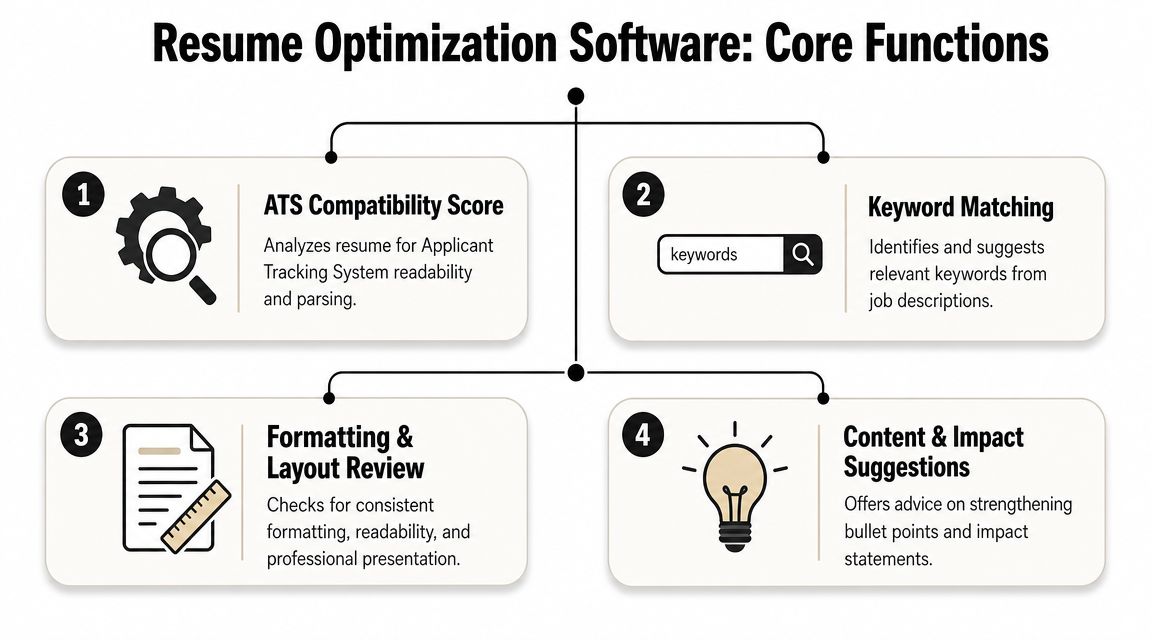
Look for these five functions
Keyword matching
This is the core engine. The software compares your resume against a target job description and flags missing terms, weak term coverage, and irrelevant language. Good tools don’t just count words. They identify role-specific skills, titles, platforms, and context words that belong in your summary, skills section, and work bullets.ATS format and parsing check
This tests whether the file can be read consistently by hiring systems. It should catch bad section labels, layout choices that break text extraction, and formatting that may scramble dates, titles, or employers.Resume scoring
A score isn’t valuable by itself. It’s useful when it points to concrete fixes. Good scoring breaks the resume down into factors like keyword coverage, structure, skills alignment, and completeness. A vague grade with no diagnosis is useless.AI-powered writing
This should improve weak bullets, not invent experience. The right use is translation. It takes a flat bullet and rewrites it into language that matches hiring patterns while keeping the underlying truth intact.Versioning
If you apply to multiple roles with one static resume, you’re making the process harder than it needs to be. Version tracking lets you keep separate resumes for different targets and compare which wording belongs to which role family.
Understand the direct benefit of each feature
Keyword matching solves relevance. Parsing checks solve readability. Scoring prioritizes what to fix first. AI writing improves weak phrasing. Versioning stops you from overwriting a finance resume with product language or sending a backend-engineer resume to a data analyst role.
Most people think their resume is being judged as a document. First it’s being processed as data.
That’s why a LinkedIn link matters too. If your resume doesn’t include one, add it. It’s a simple completeness signal, and too many resumes still leave it out.
Use a proper ATS resume checker when you want to test the mechanics, not just the wording. The point is to identify failure points before an employer’s system does it for you.
Decide If You Need This Software
Not everyone needs another subscription. Some people need a better resume draft first. Others need a tool because their problem is translation, not effort. Decide based on the obstacle.
Use it if you're a recent graduate
A graduate resume usually has a simple problem. Not enough obvious evidence on the page. You may have coursework, internships, projects, campus leadership, or part-time work, but the resume often describes them in generic language.
Optimization software helps by pulling the exact terms employers use and forcing your content to line up with them. That matters when your experience is thin and every line has to work harder.
Example:
BeforeWorked on student data project for class.AfterBuilt a student data analysis project using SQL and Excel, cleaned records, and presented findings in a final report.The software won’t create substance. It will help you label real work in terms employers search for.
Use it if you're changing fields
Career changers usually have experience. Their problem is framing. The employer doesn’t immediately see how the old work maps to the new role.
Some AI optimizers can reframe one field’s experience into another field’s language. For technical roles, some tools can reach 86%+ match rates by weighting technical competencies at 60% of the score, even when the original experience came from a different industry like EdTech or finance (TripleTen's resume optimizer overview).
That’s useful if your old title doesn’t signal the right skills.
Don’t ask the software to make you look different. Ask it to make your relevant experience legible.
Example:
BeforeSupported teachers with digital learning tools.AfterImplemented and supported software platforms, trained end users, resolved technical issues, and documented workflows.That rewrite doesn’t fake anything. It translates the work.
Use it if you're targeting large employers
If you’re applying to companies with formal online hiring systems, optimization software is usually worth using. Large employers tend to rely more on structured workflows, consistent forms, and ATS screening. That means clean parsing and exact language matter more.
If you’re still unsure whether a tool is worth paying for, read whether online resume builders are scams. The short version is simple. Some are fluff. The useful ones diagnose a technical problem and show their work.
Use The Software To Tailor A Resume
Use resume optimization software in a fixed sequence. If you skip steps and just accept AI rewrites, you’ll end up with a smoother-looking resume that still misses the job.
Follow this workflow
Start with one target job description
Don’t optimize against a vague role category. Paste in the exact posting you want. The software needs a real target so it can compare skills, titles, and language.Run your current resume and get a baseline
Look at the first score or match report without editing anything. You need to see the starting point. If you change content too early, you won’t know what fixed the problem.Apply keyword suggestions selectively
Add missing skills only if you possess them. Put core terms in the summary, skills section, and work bullets where they fit naturally. Don’t dump keywords into a skill block and call it done.Rewrite weak bullets with AI, then edit them yourself
Use the AI for phrasing, not truth. A bullet should show action, context, and result if you have one.
Use AI to tighten language. Don’t let it flatten your voice.
Example:
Before
Managed customer issues and helped team complete projects.After
Resolved customer issues, documented recurring problems, and coordinated with cross-functional teammates to keep deliverables on schedule.
- Run a final ATS formatting check
Confirm the file parses cleanly, section names are standard, and key information is readable. For this, a tool like Resumatic’s ATS check is useful, as it confirms whether the resume file is structurally safe before you submit it. - Hides the logic behind the score
- Pushes generic rewrites that make every bullet sound like marketing copy
- Doesn’t test parsing
- Lacks version control
- Treats every industry the same
- Pick one real job posting that closely matches the role you want next. Not a saved search. Not a broad title. One specific posting.
- Run your current resume against that posting in an optimizer and capture the baseline score, keyword gaps, and formatting issues.
- Fix the highest-impact problems first. Add missing relevant skills, rewrite the weakest bullets, and include your LinkedIn link if it’s missing.
- Check parsing before you submit. Make sure section headings are standard and the file reads cleanly.
- Save a separate version for that role family. Don’t keep one master resume for everything.
- Repeat the process for the next posting and compare what changes each time.
Avoid the obvious failure
Over-optimization is real. Some tools can push resumes to high ATS scores, but 40% of high-scoring resumes are reportedly ghosted by human recruiters for sounding robotic, and modern ATS can also flag AI-generated text (Resume Worded's resume optimizer discussion).
That means you should reject any rewrite that sounds generic, inflated, or strangely polished compared with how you worked.
Also, don’t waste time on cosmetic extras that won’t help in the default US market. If you’re considering one anyway and want context on where photos fit and where they don’t, this guide to professional headshots for resume covers the tradeoff.
Evaluate and Choose a Tool
Most tools advertise the same promises. Better ATS scores. Better keywords. Better writing. Ignore the promise and inspect the mechanism.
The strongest tools can achieve up to 94% accuracy in identifying and integrating job-specific keywords, and high-quality optimization can boost callback rates by 35% while raising ATS pass rates from a typical 30% to over 90% for competitive roles (Resume Optimizer Pro's comparison of resume optimization tools). That doesn’t mean every tool can do it. It means the ceiling is high if the product is built well.
Use this checklist
| Feature | What to Look For |
|---|---|
| Keyword analysis | Clear identification of missing role-specific keywords, not just generic skill matching |
| AI writing quality | Rewrites that sound human and preserve facts instead of stuffing terms into every line |
| ATS compatibility checks | Evidence the tool checks parsing and formatting for major systems such as Workday |
| Version management | Ability to save role-specific resume versions without overwriting prior drafts |
| Data privacy | Plain language on file handling, storage, and deletion |
| Resume scoring | A score tied to actionable fixes, not a vanity number |
| Industry adaptability | Support for different job families so bullets fit the language of the target role |
Reject tools that fail these tests
Skip any tool that does one of these things:
One option in this category is Resumatic, which trains its AI across 50+ industries and combines keyword targeting, scoring, and formatting in one workflow. If you’re comparing products, use a broader shortlist from guides on best AI resume builders, then test each one against the same job description and the same source resume.
A useful tool should help you make sharper claims about real work. If it only makes your resume longer, skip it.
What to do now
Don’t spend another week guessing whether your resume problem is content or compatibility. Run a short test loop and get an answer.
If you need a starting framework for the mechanical side of the document, review this guide on how to make an ATS-friendly resume. Then test your resume against a real posting today, not after another round of blind applications.
If you want one place to handle keyword targeting, resume scoring, ATS-safe formatting, and role-specific rewrites, Resumatic is built for that workflow. Paste in a job description, review the suggested changes, edit the bullets so they still sound like you, and submit a version that’s built to pass the screen first.
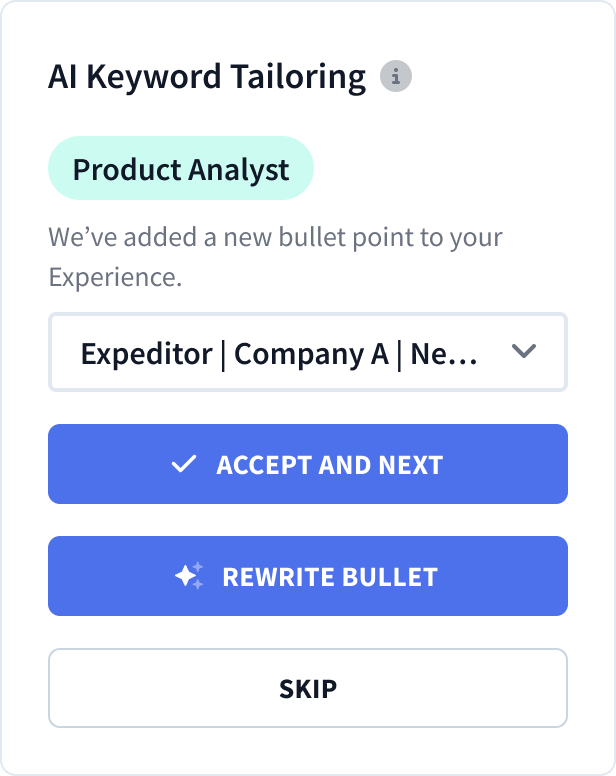
Automatic AI Resume Tailoring
Customize your resume with AI-guided precision.